Video
Video surveillance on the cameras you already own, whoever made them, with the analytics running inside your plant.
- Live video
- Thermal, built in
- People detection
- Search by description
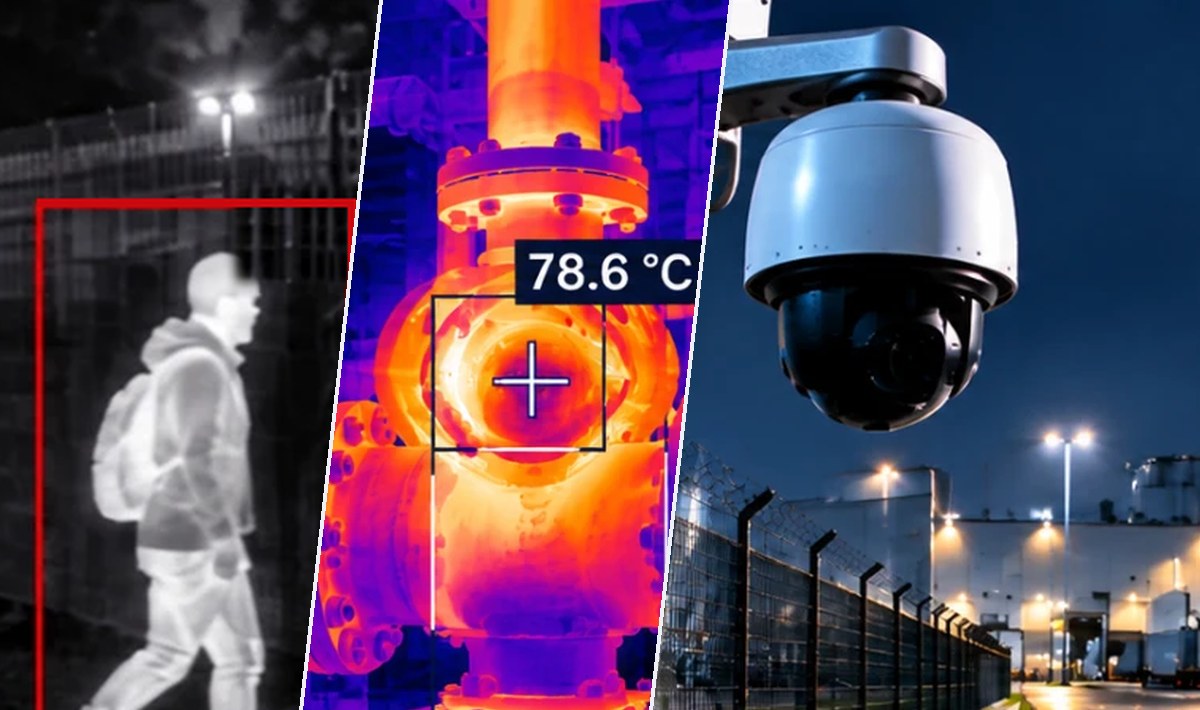
Illustrative scenes. The system's own readings are further down.
Why it matters
A video system tied to one manufacturer turns every expansion into a negotiation with them. When the model you need is another brand, or the price goes up, or that part number is simply discontinued, the problem is yours and the solution is theirs.
How it works
- 01
Network discovery over ONVIF, with guided onboarding and deduplication by MAC and serial number: a camera with two addresses is not added twice.
- 02
A hardware abstraction layer translates every brand into one language. Every purpose-built driver has its own tests and a shared verification bench; what was only tested on a simulator is not presented as real support.
- 03
Cameras classify themselves by make, model and resolution: fixed, PTZ, thermal or fisheye. A PTZ never shows up as fixed, which is where half of all impossible configurations come from.
- 04
H.265 and WebRTC for the wall; sub-stream for grid views. The heavy stream is only requested when someone is actually watching.
- 05
One recording and live-view profile, from the organization to the site to the camera, field by field. Each camera can record and display differently from the rest — resolution, frame rate, codec, quality, retention, mode and schedule — and inherits from its site whatever it does not set. Every value says where it comes from and what the camera is actually using today, read from the camera.
- 06
Control room with multicast: toward the video-wall screens the server sends a single copy per camera and the network distributes it, however many screens there are. The platform gives each stream's address and builds the launcher for the screens. Browsers keep receiving an optimized copy per view.
Live video
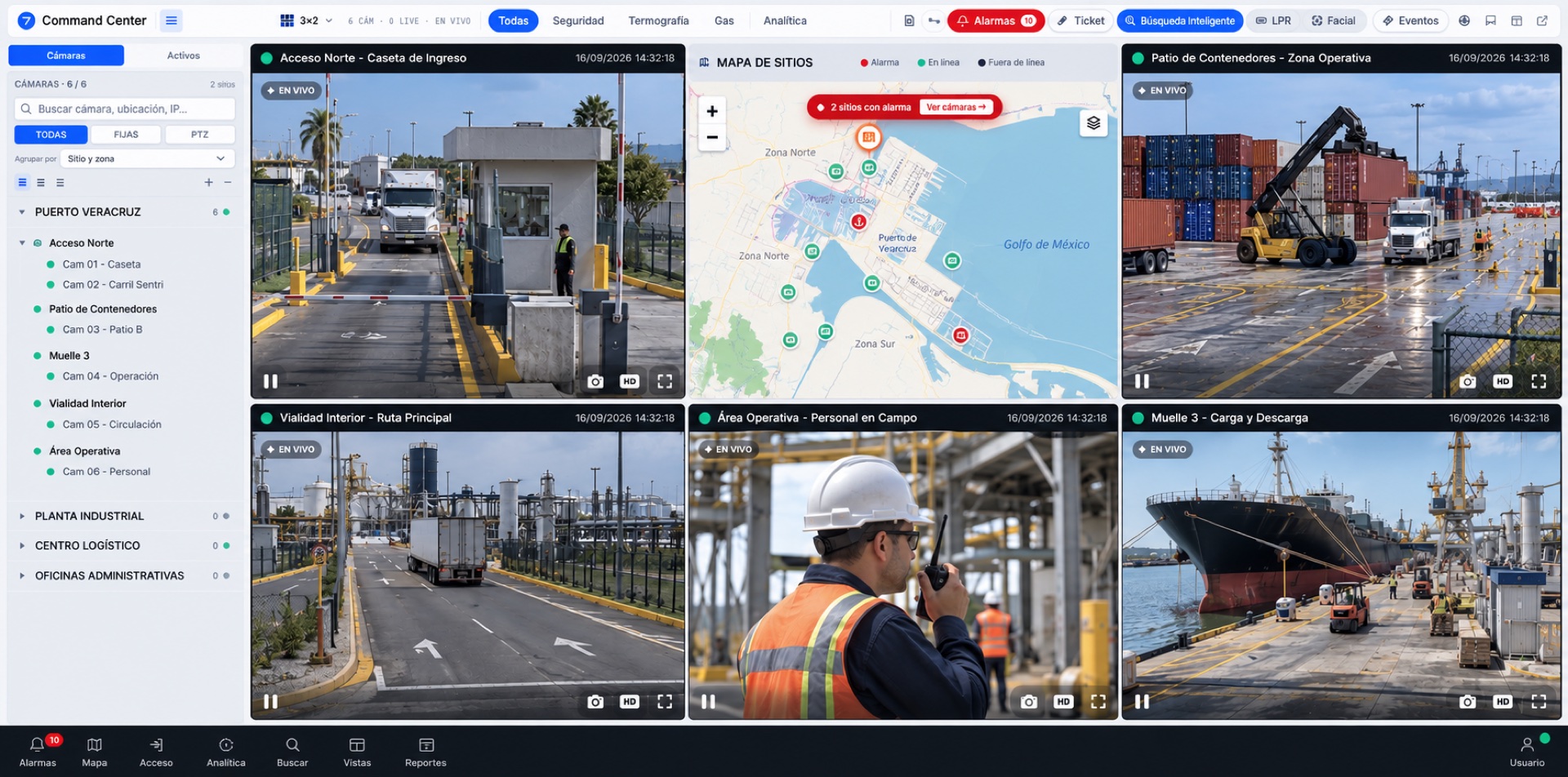
The wall draws what the cameras see right now. H.265 and WebRTC, with a sub-stream in the grids: the heavy stream is only requested when somebody is actually watching.
Thermal, built in
The thermal camera joins the same wall as the rest, and its reading is a measurement in degrees, not a pretty colour. No second program needed to see it.
People detection
The engine runs inside the plant. The image never leaves the site to be analysed by someone else, which is why it keeps working when the link is down.
Search by description
You type what you are looking for —colour, vehicle type, plate— and the moment comes back with its camera and its time. No file name, no exact hour needed.
The screens themselves
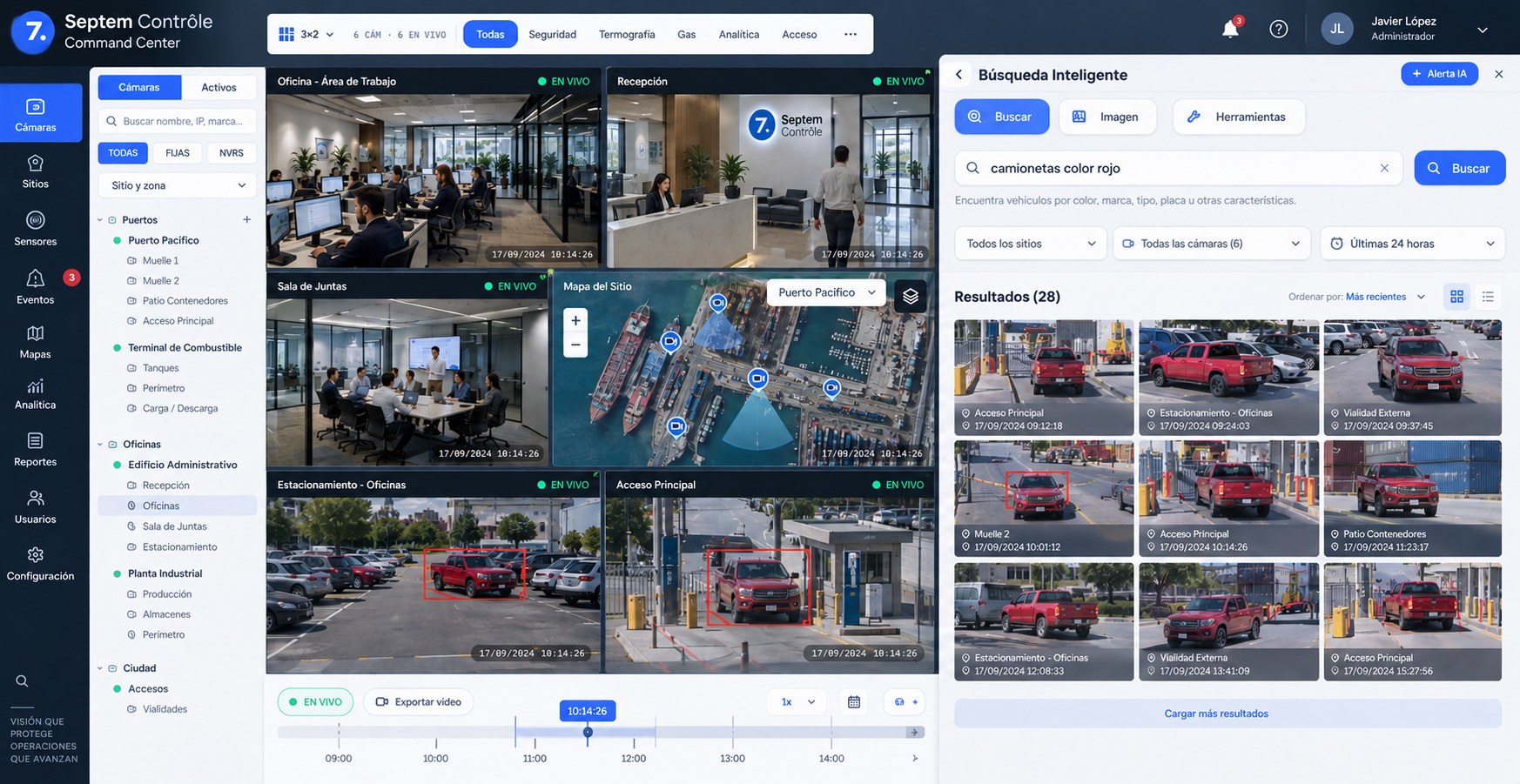
Command Center · Smart searchSearch by description, not by file name. You type what you are looking for —colour, type, make, plate— and the system returns the moments, each with its camera and its time, to jump straight to the video. Representation: the sites and scenes are examples.
1 / 1
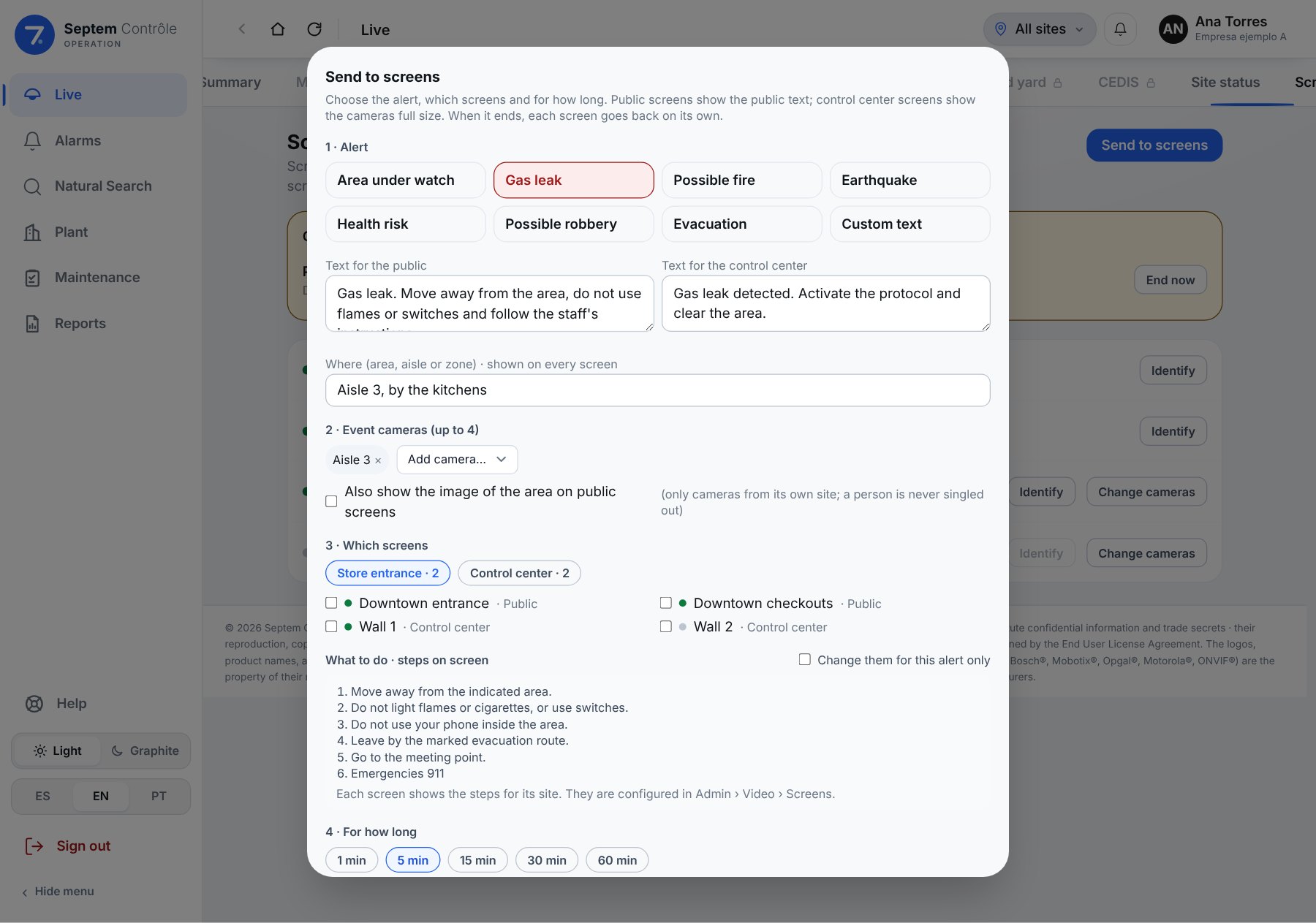
Send to screens
One alert, every screen: the store knows what to do and the control room sees it.
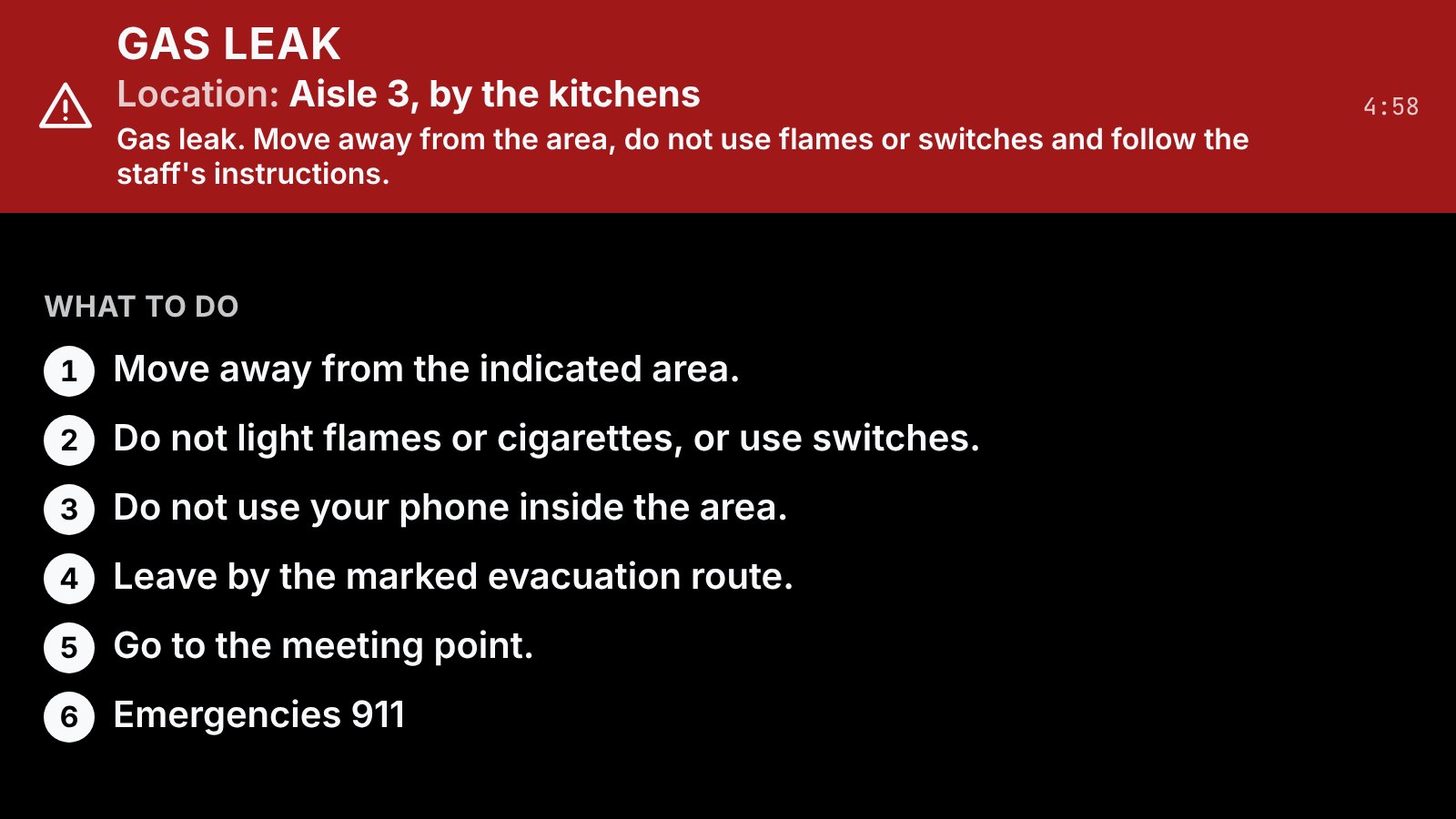
The operator sees something on a camera and, with one click, sends it to the screens they choose. The store entrance screen shows the notice, the location and the “What to do” steps; the control room shows the same plus the live event cameras, alternating every 10 seconds. When it ends, every screen goes back on its own and everything is logged.
One click, ready-made alerts
Gas leak, possible fire, earthquake, health risk, possible robbery, evacuation, area under watch or custom text. Each comes with its text for the public and for the control room.
Where, and what to do
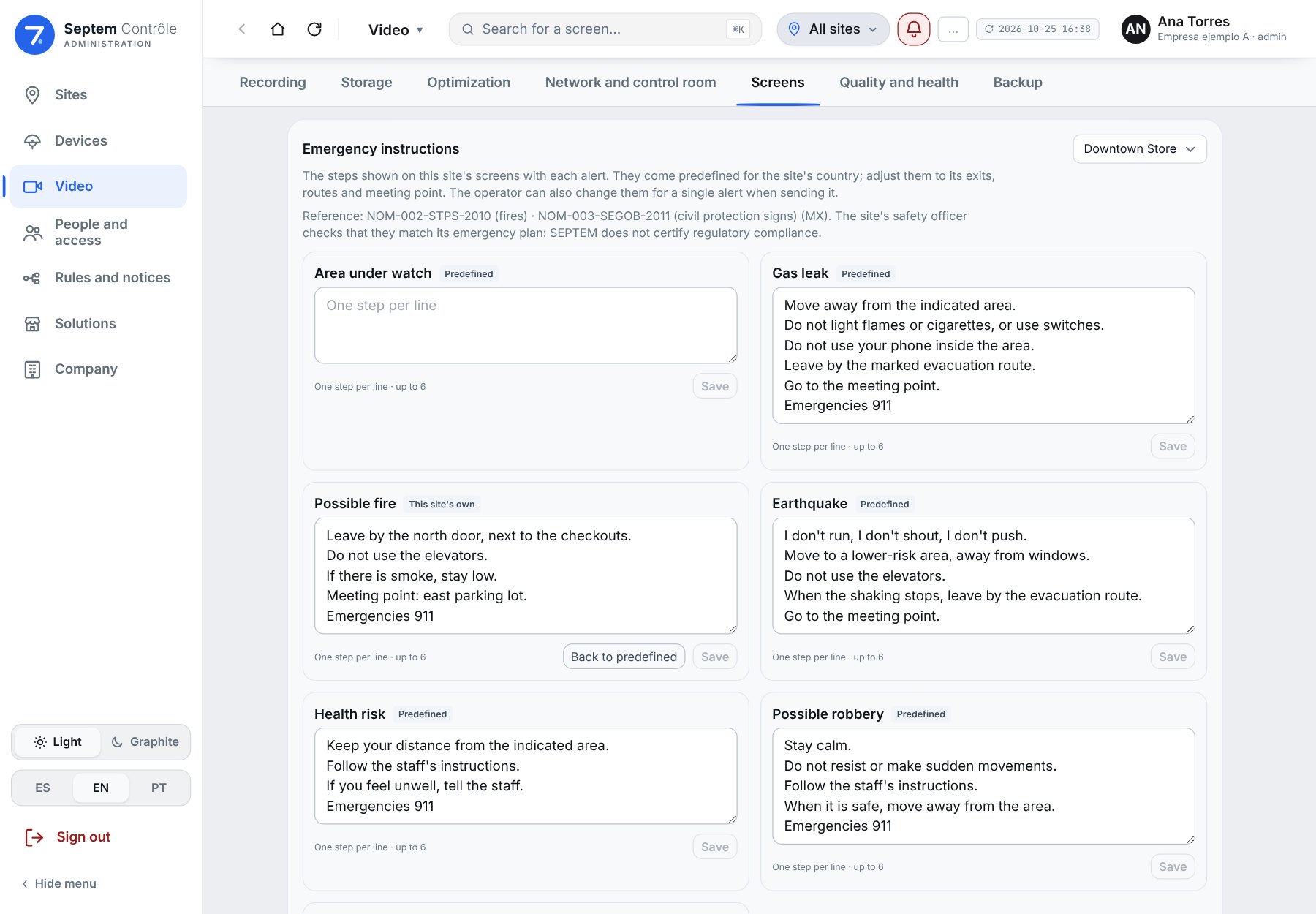
“Location: Aisle 3” and the “What to do” steps in large type. They come predefined for the site's country, with its emergency number, and each site adjusts them to its exits and meeting point.
Privacy by design
A public screen never singles out a person or zooms in on faces. The image of the area appears only if the operator turns it on, and only from cameras of that same store.
Goes back on its own, and is logged
From 1 to 60 minutes, or “End now”. Who sent what, to which screens and with which cameras is logged. Only to screens at sites the operator can see.
In practice
When the link goes down
Recording lives at the edge, inside the plant: if the internet is cut, it keeps recording. If what drops is the network between the camera and the edge, backfill from the camera's card — in beta — uploads what was recorded once the network returns and closes the gap.
One camera is not like the others
The main-gate camera keeps ninety days because that is where claims get settled; the yard cameras keep thirty. The pier camera comes in over a satellite link and never opens its main stream on the wall, so it does not saturate it, while the ones inside the plant record at full resolution. All of it from each camera's own tab, which says what it inherits from the site and what is its own.
Twenty screens for the price of one
In a control room, every screen that asks for its own copy of the video multiplies the traffic. With multicast the server sends one copy per camera and the network distributes it: adding screens to the wall adds no load. It requires a video server attached to the site network and switches that manage groups (IGMP); the platform says so on the same screen where it is set up.
Capabilities
- ONVIF and RTSP · ten purpose-built drivers with a test bench
- H.265, WebRTC, and MJPEG as a last resort
- 360° fisheye dewarp
- Automatic backfill from the camera's card once the network returns · Beta
- Real detection of a dead camera, not just of registration
- View-only screens with no sign-in, for kiosk displays
- Phone or tablet as a camera
- Per-camera recording and live-view profile, inheriting from the site
- Multicast control room with a video-wall screen launcher (Linux or Windows)
- Send to screens: alerts with event cameras, location and per-country steps · Beta
- Communication Screens: welcome messages with a photo, news, promotions and notices scheduled by date and time, licensed per screen · New feature · Beta
- Support video for each alert ("What to do in an earthquake") · Beta