Access control
Doors, people, credentials and schedules, with the video of the event attached to every pass.
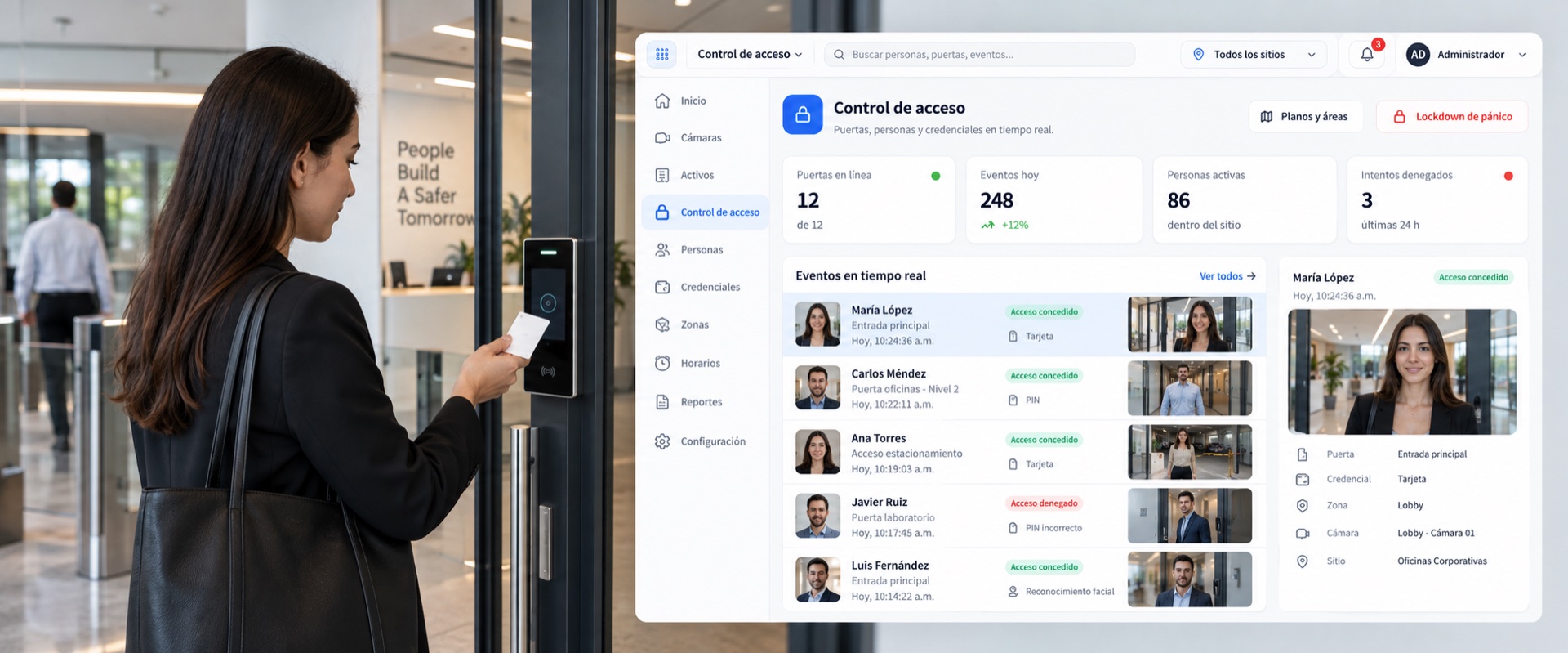
One single roster
People, credentials, access levels and schedules in the same place, with their work permits and their procedures.
Every event with its video
The door, the time and the face stay in the same record. No need to cross two systems to know who went through.
The protection level tightens from inside
Raising it changes the rules in the engine, not in a manual note somebody has to remember to read.
A chained log
An entry cannot be altered without it showing. That is what separates a record from a spreadsheet.
Why it matters
An access log says credential 4471 opened door three at 02:14. It does not say who was carrying it. That distinction only matters on the day it matters a great deal, and by then the video is in another system, on another clock, behind another login.
How it works
- 01
People, credentials, access levels and schedules in one registry, with work permits and evacuation procedures.
- 02
Every event stores the video of the moment: the door, the time and the face, in the same record.
- 03
The site's protection level tightens the rules from inside the engine, not with a note in a manual.
- 04
A hash-chained log: an entry cannot be altered without it showing.
Visitor kiosk
The visitor signs in alone, and the host decides
A tablet on the counter, with no app to install. The visitor picks which company in the building they came for — one lobby can host several —, leaves their details, signs the site rules and waits. The person who approves is their host, from their phone. Reception does not have to enrol anyone.

- 01
Picks the company and the floor
A building with several companies receives them all on the same tablet, and each one sees only its own visits.
- 02
Leaves their details and signs
Name, who they are visiting and the site rules. The signature stores the exact text that was shown, not a link to the document.
- 03
The host approves
They get the request with who it is and what for. Until they say yes, there is no badge and no access.
- 04
The badge comes out with its QR
Valid for a few hours and ONLY on the readers the administrator assigned to that kiosk. The visitor never chooses where they walk in.
The visitor never chooses which door they enter
The badge's readers are set by the administrator when the tablet is paired, and the kiosk's request does not even accept a door. It is deliberate: the tablet lives in a lobby, where anyone can touch it or walk off with it, so it does not receive the platform session — it gets a token of its own that is good for nothing else.
Access and industrial risk
The door knows what is happening on the other side
An access system knows who you are. It does not know there is an H₂S leak in the area you are walking into, because the gas sensor lives in another system, on another panel, from another vendor. That separation never shows — except on the day someone badges in to an area that was in alarm.
The hazard reaches the door, not someone's inbox
Gas, thermal, an asset in alarm, predictive risk and, in beta, PPE: the same engine that detects them governs the entry. Nobody has to spot an alert and radio the gatehouse.
By area and hazard type, not all or nothing
A gas leak can warn at the office door and deny entry to a confined space. It is set per site and per area, with a rule that reads in one line.
Evacuation stops being a paper drill
Declare it and the exits go free, with the readers saying so on their screens. And the count of who is still inside is real, because it comes from the passes on record, not from a sheet signed at the gate.
Who entered with the hazard live is on the record
Every pass under alarm is logged with the hazard that was active, who authorised it and on which credential, in a hash-chained log that cannot be altered without it showing. That is what an investigation asks for.
It never blocks blindly
An analytic or a sensor can fail, and must never trap anyone. So the factory behaviour is WARN — it grants the pass and raises the alert —, blocking is a decision enabled per area, a sensor that is down does not block, EGRESS is never blocked, and there is always an override from an authorised person or the operator.
In practice
A credential in two places at once
A printed badge gets copied, always. What can be detected is impossible use: the same credential at two doors five seconds apart, or at two sites ten minutes apart. The system flags it without blocking anyone's exit.
Capabilities
- Doors, people, credentials, levels and schedules
- Work permits and evacuation
- Impossible-use detection for a credential
- Credential on the phone
- Reception tablet for visitors
- Hash-chained log with export
What it does not do yet
- Physical reader coverage grows by integration: some brands are closed end to end, others are on the way. Ask about yours before you buy.